Enabling dynamic codec switching Horizon View 7.10

VMware Horizon 7.10 – released on September 17, 2019 – ships with a new dynamic encoder. Depending on what content you’re watching in your VDI, it will seamlessly switch to the best suiting codec for optimal performance/quality-balance. While H.264 is ideal for rapidly changing content like videos, JPG/PNG offers better quality for more static content like Office applications. 
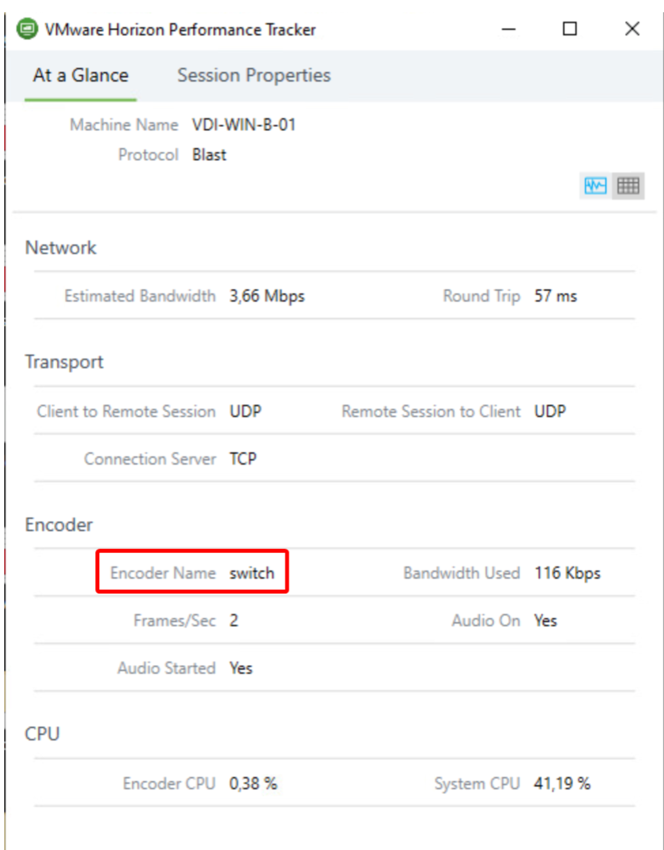
As of this release the “switch”-Codec is disabled by default and must be explicitly enabled via the registry. Also, make sure you’re using Horizon Client 5.2 or later to make the codec work.

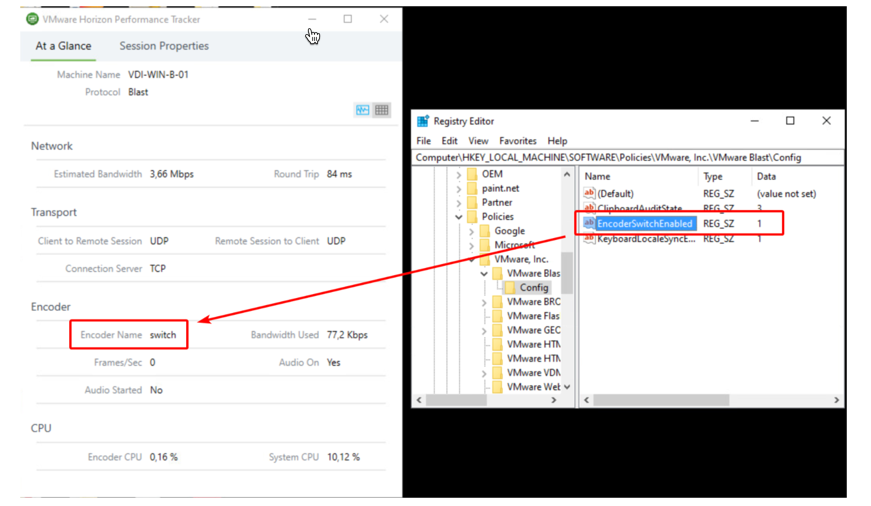
To enable the new feature, you need to set this registry key on your VDI machine:

Key: HKEY_LOCAL_MACHINE\SOFTWARE\Policies\VMware, Inc.\VMware Blast\Config\EncoderSwitchEnabled
Type: REG_SZ
Value: 1

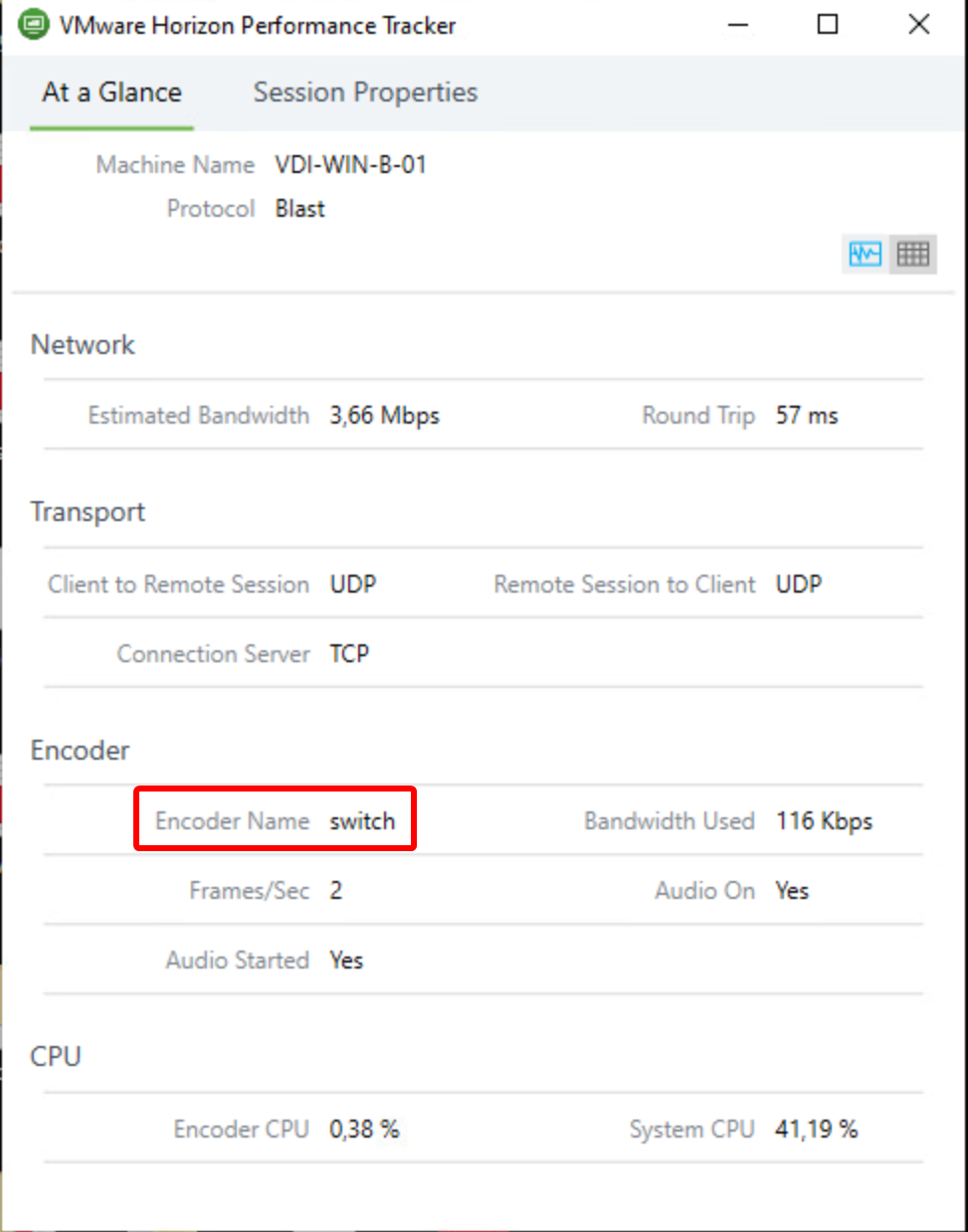
When you have created the registry key, re-initiate the connection to your VDI machine. Then check with the “VMware Horizon Performance Tracker”-tool if you can see “Encoder Name” is set to “switch”. Like in the screenshot of my HomeLab here:
If you would like to get more details about the 7.10 release, you can get the release notes here or a blog article by VMware here.

You might be interested in …

VMware PowerCLI Connect-VIServer Error: Invalid server certificate. Use Set-PowerCLIConfiguration

VMware

    Problem:   Unable to connect vCenter with  “Connect-VIServer” command. It gives error “VMware PowerCLI Connect-VIServer Error: Invalid server certificate. Use Set-PowerCLIConfiguration“       Reason:   The issue usually happen whenever Self Signed Certificate is used in Vcenter server.     Solution:   Execute below command to ignore Certificate check during vCenter Connection. […]

Read More

Workspace ONE Access Multisite Tasks – One Pager

vIDM, VMware, Workspace ONE Access

For the past few weeks, I have been working with my project team and my customer to help them stand up VMware Access on a secondary site. With the help of Haseeb Waseem, I have created a single spreadsheet which includes all the major steps needed to create a secondary site. Hope this is helpful […]

Read More

How to Change Workspace ONE Access SAML Signing Certificate

VMware, Workspace ONE Access

In my previous engagement, a customer asked to change the Workspace ONE Access SAML signing cert after a year and a half in production.  WS1 Access was fully deployed along with DR sites and configured as 3rd party IDP with ADFS for O365 use cases. Background: SAML signing certificates ensure that messages are coming from […]

Read More

Leave a Reply

Your email address will not be published. Required fields are marked *